
Features
Dashboard
Your morning briefing, today's revenue, appointments, pending AI bookings, and trends at a glance. Open it from Core → Dashboard after sign-in.
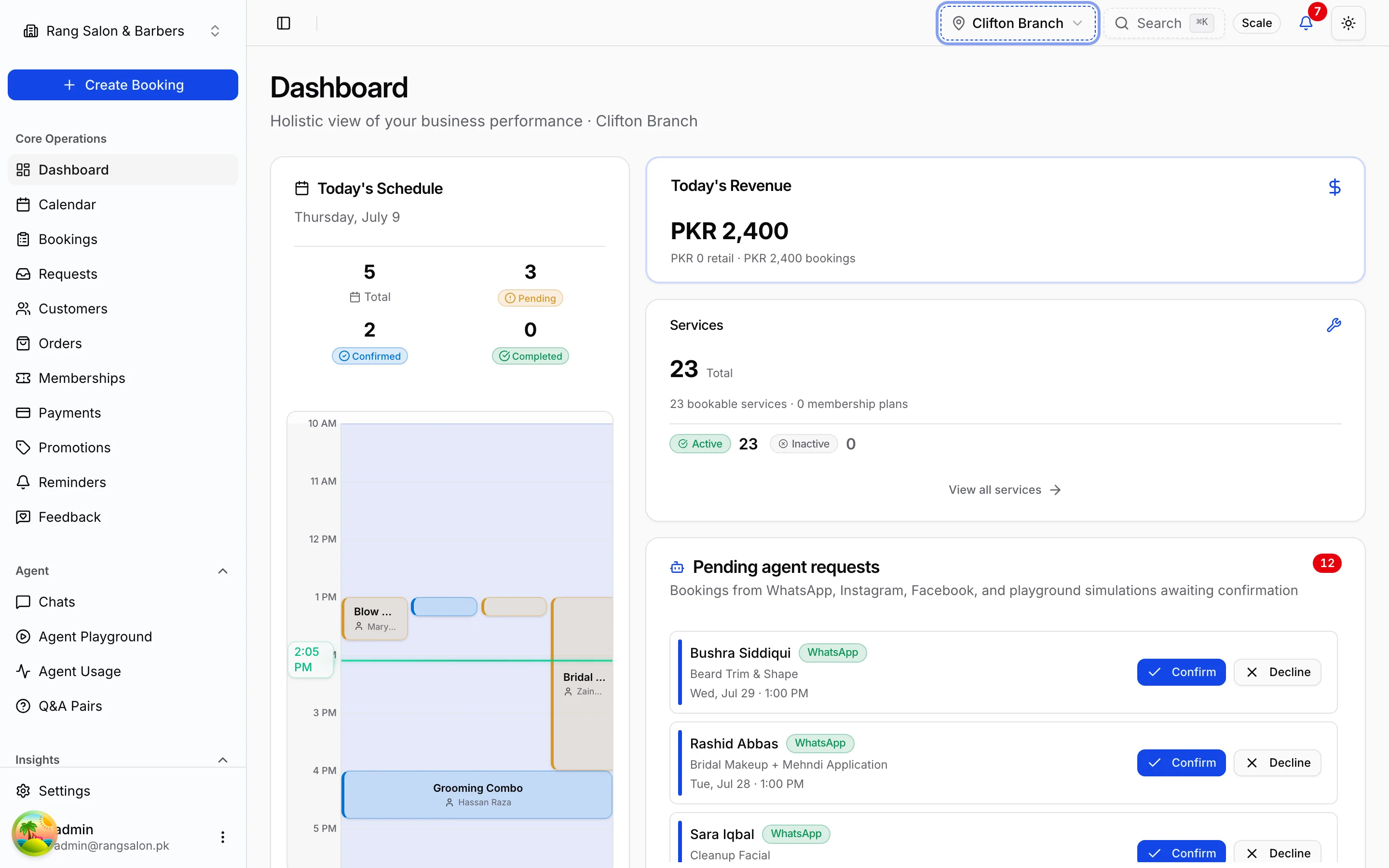
What you'll see
Widgets adapt to your plan and branch filter. Common cards include:
- Today's revenue: service, retail, and membership income for the selected branch or all locations
- Today's calendar: upcoming appointments; click a booking for details
- Pending AI bookings: bookings the agent created that need approval (if approval workflow is on)
- Booking & revenue trends: last 30 days of volume and income
- Services overview: active services and catalog health
- Membership renewals: memberships expiring soon
- Session utilization: class/session fill rates (gyms & studios)
- Low stock: retail products below threshold (retail module)
- Chain overview: multi-branch snapshot when viewing all locations
Branch filter
Use the branch switcher in the sidebar header to scope the dashboard to one location orAll branches for chain-wide metrics. Revenue and booking counts respect the active filter.
Acting on alerts
- Pending AI bookings → opens Requests for approve/decline
- Low stock → jump to product inventory
- Expiring memberships → open membership list to renew or contact customers