Customer Management
Build and manage a customer database with contact details, booking history, and notes. Pitstop's customer management helps you view customer information, track bookings, and use search and export for analysis. View conversations in the Chats page.
Customer Management Features
Customer Profiles
Comprehensive customer profiles serve as the central hub for all customer information. Each profile includes contact details and provides quick access to booking history and notes.
- Contact Information: Store and manage contact details including name, phone number, and email address. Contact information is automatically populated from bookings and can be manually updated.
- Automatic Profile Creation: Customer profiles are automatically created when a customer makes their first booking through any channel (WhatsApp, Instagram, Facebook, or manual booking). No manual setup required.
- Quick Actions: View booking history, add or edit notes, and edit profile from the customer details view. Use the Chats page to view conversations with customers.
Booking History
Complete booking history provides a comprehensive view of all customer interactions with your business. View past appointments, upcoming bookings, service preferences, spending patterns, and customer lifetime value in one organized timeline.
- Complete History: View all past and upcoming bookings in chronological order. Each booking shows service details, date, time, staff, branch, pricing, and status.
- Chronological history: Booking history is shown in chronological order so you can see patterns and gaps between appointments.
- Customer Statistics: Total bookings and last booking date are shown on the customer list and in customer details.
- Export: Export customers to Excel from the Customers page for analysis, accounting, or record-keeping.
- Booking Details: Open any booking from the list or calendar to see full details, add notes, record payments, or change status.
Customer Notes
Add and manage internal notes, preferences, and important information that's visible only to your team. Customer notes help you provide personalized service, remember important details, and maintain continuity across team members.
- Private Team Notes: Add notes that are only visible to your team members, never to customers. Perfect for recording preferences, special requests, allergies, or any important information.
- Preference Tracking: Use the notes field to track customer preferences, preferred staff, special requirements, or any other details your team needs.
Conversations (Chats)
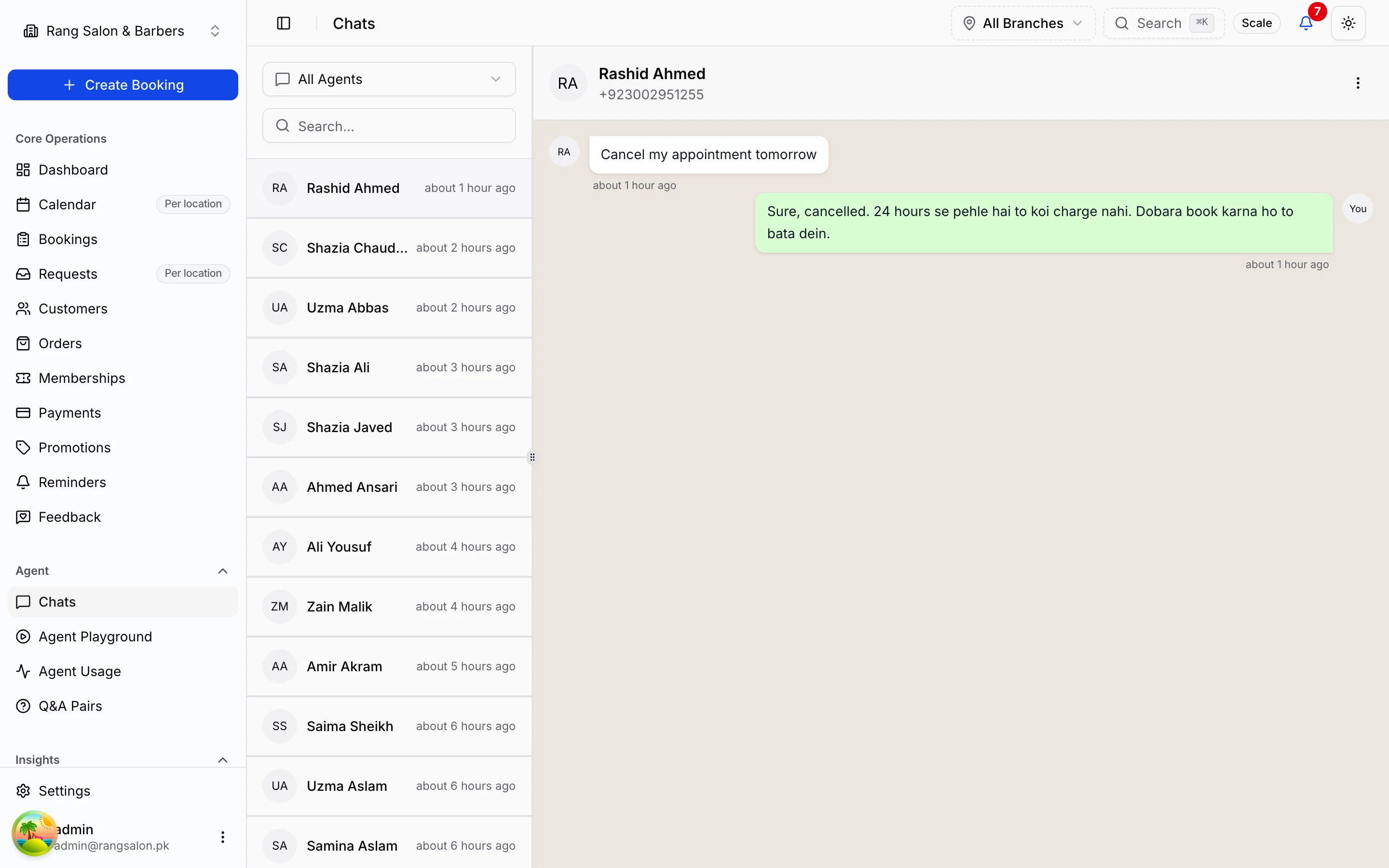
View customer conversations in the Chats page. Conversations from WhatsApp, Instagram, and Facebook Messenger appear in a unified list so you can see message history and continue threads.
- Unified Chats: See conversations from WhatsApp, Instagram, and Facebook Messenger in one place. Open a conversation to view the message thread with that customer.
- Conversation History: View full conversation threads in Chats for context and follow-up. Messages are shown in chronological order.
Search & Filtering
Search and sort customers to find who you need quickly.
- Search: Search by customer name, phone number, or email. Search works across customer data with partial matching.
- Sorting: Sort customers by name, phone, email, preferred language, booking count, last booking date, or created date.
- Branch filter: For multi-location businesses, filter the customer list by branch.
- Export: Export the customer list to Excel for the current view or filtered data.
Customer Insights
Use booking count and last booking date to understand your customer base. Sort by booking count to see your most frequent customers, or by last booking date to find customers who haven't visited recently.
- Booking count: See how many bookings each customer has. Sort by booking count to identify regulars and one-time visitors.
- Last booking date: See when each customer last booked. Sort by last booking to follow up with customers who haven't visited in a while.
Customer Actions & Workflows
Perform actions on customers individually or in bulk to manage relationships, send communications, and maintain your customer database efficiently:
- Quick Booking: Create new bookings from the Bookings page and select the customer; customer contact details can be used to look up or create the customer.
- Edit Profile: Update customer name, email, notes, and preferred language from the customer details or edit dialog.
- Export Customer Data: Export customer lists to Excel from the Customers page. Use filters and date range as needed; export includes profile information and supports backup or analysis.
- View Conversations: Open the Chats page to view and continue conversations with customers on WhatsApp, Instagram, or Facebook.
Customer Analytics & Insights
Gain insights into your customer base:
- Customer Lifetime Value (CLV): View customer lifetime value metrics in the Analytics page (CLV tab). CLV is calculated from booking and payment data to help you identify your most valuable customers.
- Booking and sort data: Use the Customers page to sort by booking count or last booking date. Export to Excel for further analysis or reporting.